
Figma vs Adobe: two design powerhouses locked in a battle for creative supremacy. One revolutionized collaboration with cloud-based simplicity, while the other built an empire on professional-grade creative tools. Figma is a browser-based UI/UX design platform built for real-time team collaboration. Adobe Creative Cloud is a comprehensive suite of industry-standard design applications, including XD, Photoshop, and Illustrator. For beginners seeking intuitive collaboration, Figma wins. For professionals requiring advanced graphics and print design, Adobe dominates. For teams balancing both? The choice depends on workflow priorities, budget constraints, and long-term creative goals.
The design software landscape mirrors investment portfolio decisions; choosing the right tool requires understanding your specific needs, evaluating the total cost of ownership, and measuring return on creative productivity. Just as diversification strategies protect financial portfolios, selecting the proper design platform protects project timelines and team efficiency.
Key Takeaways
Figma excels at real-time collaboration with unlimited free editors, browser-based access, and seamless team workflows—ideal for remote teams and UI/UX designers
Adobe Creative Cloud offers unmatched versatility across graphic design, illustration, photo editing, and print media with industry-standard professional tools
Pricing structures differ significantly: Figma starts at $12/editor/month with generous free tiers; Adobe ranges from $9.99-$54.99/month depending on apps needed
Learning curves vary dramatically: Figma’s intuitive interface welcomes beginners within hours; Adobe’s powerful features demand weeks or months to master
Choose based on primary use case: UI/UX and web design favor Figma; graphic design, illustration, and multimedia projects require Adobe’s depth
What Is Figma?
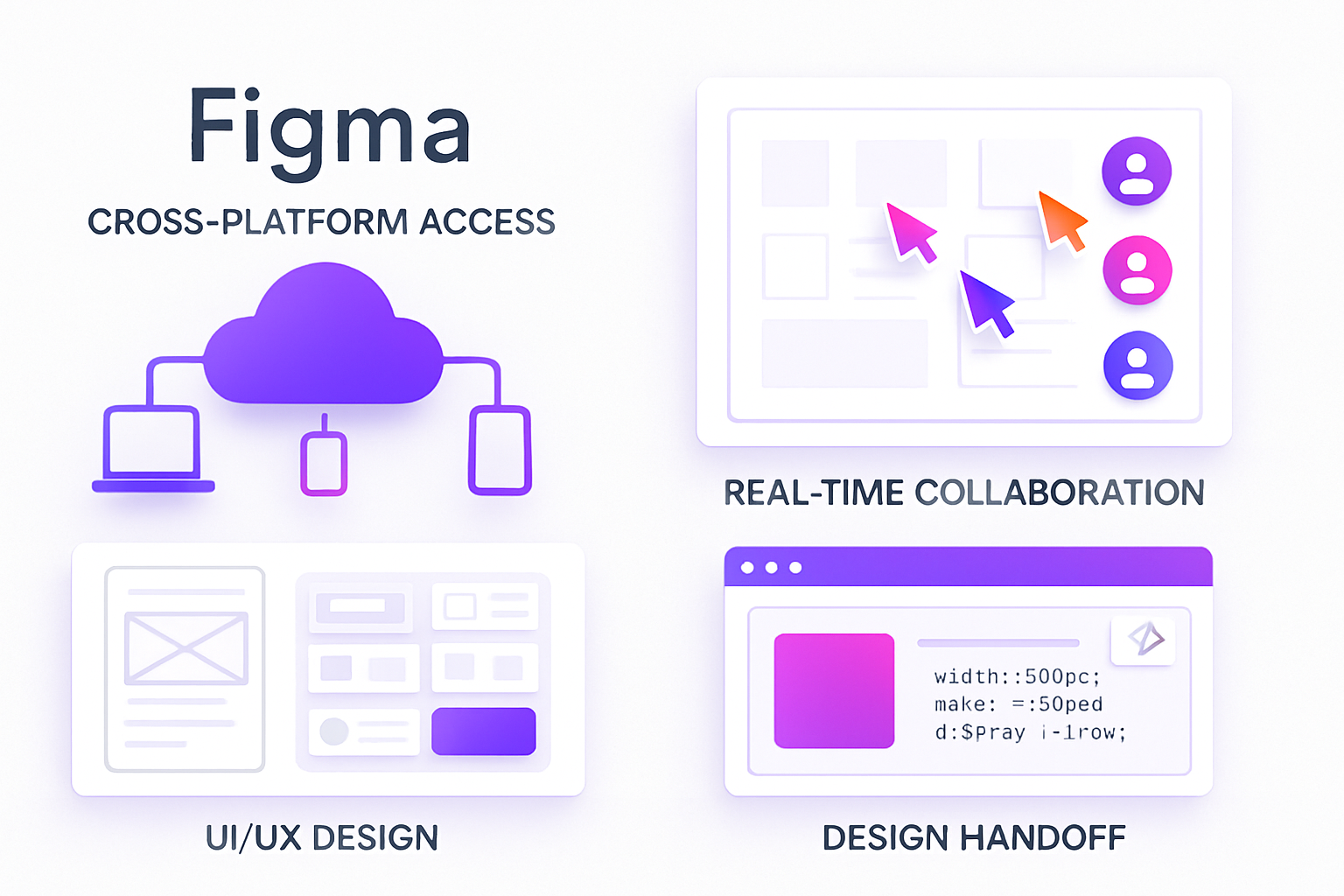
Figma represents a paradigm shift in design software architecture. Unlike traditional desktop applications, Figma operates entirely in web browsers, eliminating installation friction and enabling instant access from any device with internet connectivity.
The platform launched in 2016 with a singular focus: collaborative interface design. This specialization created competitive advantages in UI/UX workflows that legacy desktop software couldn’t match. Teams edit the same file simultaneously, seeing cursor movements and changes in real-time—functionality that transforms design review processes from sequential bottlenecks into parallel workflows.
Figma’s business model mirrors modern SaaS economics. The free tier provides genuine utility (unlimited editors, 3 design files, unlimited personal files), converting users through feature expansion rather than artificial limitations. This approach builds network effects—as more designers adopt Figma, more teams standardize on it, creating a self-reinforcing adoption cycle.
Key Features of Figma
Cloud-based design architecture eliminates version control nightmares. Files exist as single sources of truth in the cloud, accessible via shareable links. No more “design_final_v3_FINAL_actualfinal.fig” naming chaos. Changes save automatically, with a complete version history enabling rollback to any previous state.
Real-time collaboration functions like Google Docs for design. Multiple team members edit simultaneously, with color-coded cursors showing who’s working where. Comments attach directly to design elements, creating threaded conversations that preserve context. Stakeholders view live progress without downloading files or installing software.
UI/UX-focused toolset prioritizes interface design workflows. Components create reusable design elements with master-instance relationships—update the master, and all instances reflect changes instantly. Auto-layout mimics CSS flexbox behavior, enabling responsive designs that adapt to content changes. Constraints define how elements resize within frames, simulating actual development behavior.
Cross-platform access delivers consistency across operating systems. The browser-based core runs identically on Windows, macOS, Linux, and ChromeOS. Desktop apps (available for Mac and Windows) provide offline editing with automatic sync when connectivity returns. Mobile apps enable design review and commenting on iOS and Android devices.
Who Figma Is Best For
UI/UX designers find Figma’s feature set purpose-built for their workflows. Prototyping tools create interactive mockups with transitions, overlays, and user flow navigation. Design systems maintain consistency across products through shared component libraries. Developer handoff generates CSS code, measurements, and exportable assets without third-party plugins.
Remote teams leverage collaboration features that transcend geographic boundaries. Design reviews happen in real-time regardless of time zones. Asynchronous feedback through comments preserves decision rationale. Presentation mode transforms designs into clickable prototypes for stakeholder demos without leaving the browser.
Beginners appreciate the gentle learning curve. The interface follows familiar design software conventions while removing complexity. Free educational resources include Figma’s official YouTube channel, community templates, and interactive tutorials. The generous free tier allows unlimited practice without financial commitment—similar to how compound interest accounts let beginners build wealth gradually without minimum balance requirements.
Product managers use Figma as a communication bridge between design and development. They comment on designs, suggest iterations, and track progress without design software expertise. The ability to view and interact with prototypes in browsers eliminates software barriers to stakeholder participation.
Pros and Cons of Figma
Pros:
Collaboration efficiency eliminates traditional design workflow friction. Teams complete review cycles in hours instead of days. Real-time editing prevents duplicate work and conflicting changes.
Accessibility removes platform and location barriers. Contractors access files without software purchases. Clients review designs from any device. Developers inspect designs and extract code directly from browsers.
Cost-effectiveness provides professional capabilities at a fraction of traditional software costs. The free tier serves freelancers and small teams indefinitely. Paid plans scale linearly with team size rather than forcing expensive bundles.
Plugin ecosystem extends functionality through community contributions. FigJam adds whiteboarding, Stark ensures accessibility compliance, Unsplash integrates stock photography, and hundreds more solve specific workflow needs.
Cons:
Limited advanced image editing restricts photo manipulation capabilities. While Figma handles basic adjustments (brightness, contrast, saturation), complex retouching requires external tools like Photoshop. This creates workflow friction for projects mixing UI design with heavy photo editing.
Internet dependency affects reliability in unstable connectivity environments. While desktop apps cache files for offline editing, initial file access and collaboration features require the internet. Teams in bandwidth-constrained regions face productivity barriers.
Print design limitations make Figma suboptimal for traditional graphic design. CMYK color mode support remains basic. Bleed settings and print-specific features lag behind Adobe InDesign. Designers creating physical deliverables need supplementary tools.
What Is Adobe Creative Cloud?
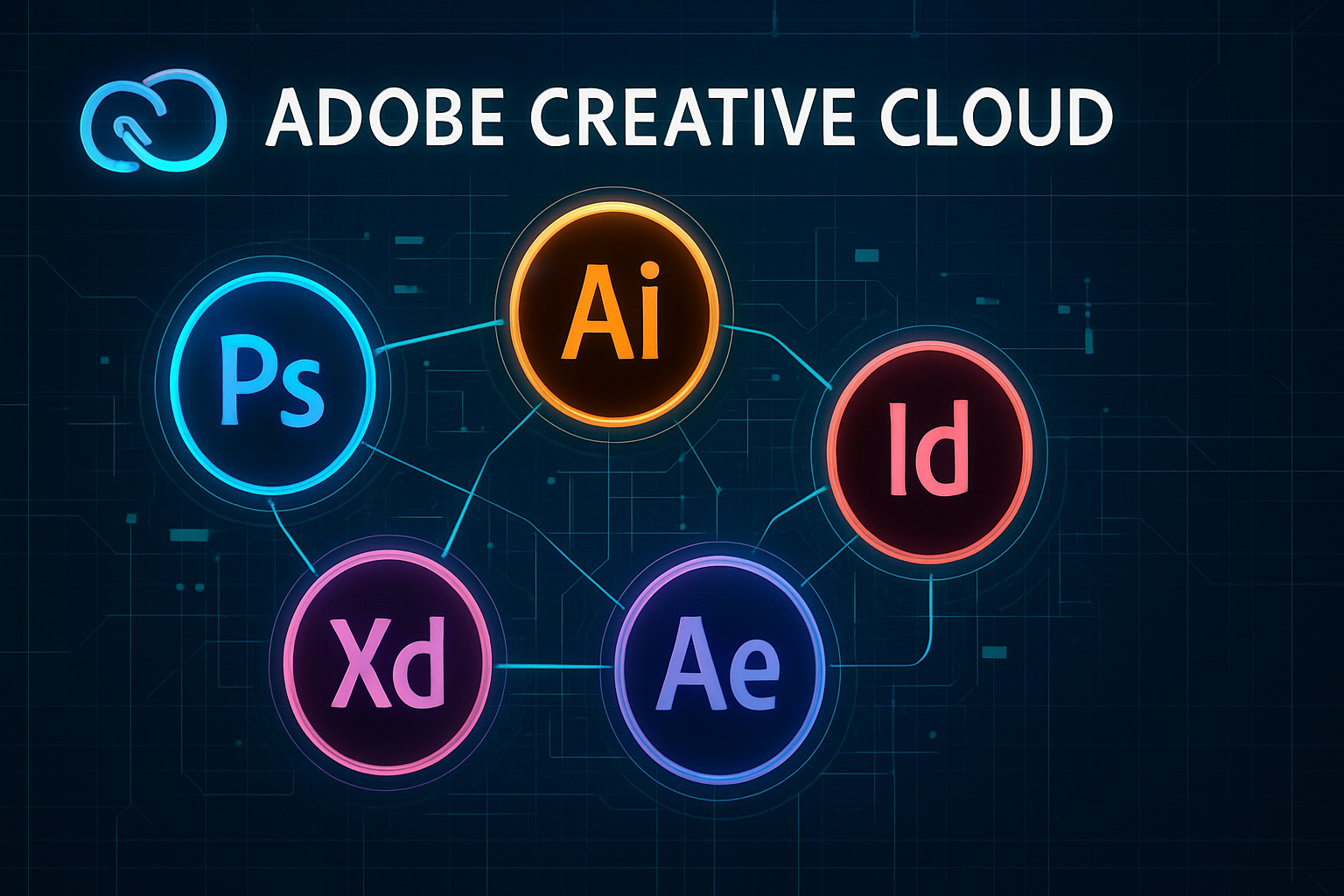
Adobe Creative Cloud represents decades of professional creative software evolution packaged as a subscription ecosystem. Launched in 2013, Creative Cloud transformed Adobe’s perpetual license model into recurring revenue while adding cloud storage, font libraries, and cross-application integration.
The suite encompasses over 20 applications spanning design, video, photography, web development, and 3D creation. This breadth creates both opportunity and complexity—professionals access industry-standard tools for virtually any creative task, but beginners face overwhelming choice and steep learning curves.
Adobe’s market position resembles dividend aristocrats in investing—established leaders with proven track records and consistent value delivery. Creative professionals worldwide recognize Adobe certifications. Employers expect Adobe proficiency. File formats like PSD and AI function as industry standards.
Adobe Apps Included
Adobe XD serves as Adobe’s UI/UX design answer to Figma. The application provides prototyping, wireframing, and design system management with tight Creative Cloud integration. Auto-animate creates sophisticated transitions between artboards. Voice prototyping enables voice interface design. Repeat Grid accelerates list and gallery creation.
Photoshop dominates raster image editing across photography, digital painting, and photo manipulation. Layer-based editing provides non-destructive workflows. Content-Aware Fill removes objects intelligently. Neural Filters apply AI-powered adjustments. 3D capabilities enable texture painting and model manipulation.
Illustrator defines vector graphic creation for logos, icons, illustrations, and typography. Precision drawing tools create scalable artwork that maintains quality at any size. Global color editing updates entire designs instantly. Image Trace converts raster images to editable vectors. Advanced typography controls satisfy professional type designers.
InDesign powers professional page layout for magazines, books, brochures, and multi-page documents. Master pages maintain consistency across publications. Paragraph and character styles ensure typographic coherence. Preflight checks verify print-readiness. EPUB export enables digital publishing.
Additional applications include Premiere Pro (video editing), After Effects (motion graphics), Lightroom (photo organization), Acrobat Pro (PDF workflows), and specialized tools for audio, 3D, and web development.
Who Adobe Is Best For
Professional designers require Adobe’s depth and breadth. Agencies serving diverse clients need tools for every deliverable type. The ability to move seamlessly between Illustrator for logo design, Photoshop for image editing, and InDesign for presentation layout creates efficient workflows impossible with specialized tools.
Graphic artists depend on Photoshop and Illustrator’s advanced capabilities. Digital painters use pressure-sensitive brushes with thousands of customization options. Illustrators leverage mesh gradients, pattern creation, and perspective tools. Photo retouchers employ frequency separation, dodge and burn techniques, and color grading workflows developed over decades.
Print and media creators need CMYK color accuracy, bleed settings, and print production features. InDesign’s preflight tools catch errors before expensive print runs. Illustrator’s spot color support ensures brand color accuracy. Photoshop’s LAB color mode enables advanced color correction.
Creative professionals seeking industry recognition benefit from Adobe’s established ecosystem. Portfolio pieces created in Adobe tools demonstrate proficiency in industry-standard software. Adobe certifications validate skills to employers. Familiarity with Adobe workflows eases collaboration with clients and partners already using these tools.
Pros and Cons of Adobe
Pros:
Unmatched power and versatility across creative disciplines. Single subscription provides tools for photo editing, vector design, page layout, video production, and more. This breadth eliminates software gaps in complex projects.
Industry-standard status ensures compatibility and recognition. PSD files open universally. Employers expect Adobe skills. Tutorials and educational resources abound because of mathe ssive user base.
Advanced capabilities enable professional-grade output. Photoshop’s retouching tools, Illustrator’s typography controls, and InDesign’s print production features exceed competitors in depth and refinement.
Creative Cloud integration connects applications seamlessly. Copy vectors from Illustrator directly into Photoshop. Import layered PSDs into After Effects. Share color palettes and character styles across applications through Creative Cloud Libraries.
Cons:
Significant cost creates barriers for beginners and small teams. All Apps plan costs $54.99/month ($659.88 annually). Single-app plans at $20.99/month still exceed Figma’s professional tier. These recurring costs compound like debt service—manageable individually but substantial over time.
Steep learning curve delays productivity for newcomers. Photoshop’s interface overwhelms beginners with hundreds of tools and panels. Illustrator’s pen tool requires practice to master. Effective use demands significant time investment in tutorials and practice.
Collaboration limitations in traditional desktop applications. While Creative Cloud added review and commenting features, real-time multi-user editing remains absent. Version control requires manual discipline or third-party tools.
Figma vs Adobe — Side-by-Side Comparison
| Feature | Figma | Adobe Creative Cloud |
|---|---|---|
| Primary Focus | UI/UX design, web interfaces, prototyping | Comprehensive creative suite (design, photo, video, print) |
| Collaboration | Real-time multi-user editing, live cursors, instant comments | Cloud document review, commenting (not simultaneous editing) |
| Platform | Browser-based (Mac, Windows, Linux, ChromeOS) + desktop apps | Desktop applications (Mac, Windows) with cloud sync |
| Learning Curve | Gentle—intuitive for beginners, productive within hours | Steep—professional depth requires weeks to months |
| Pricing (2026) | Free (3 files), Professional $12/editor/month, Org $45/editor/month | XD Starter free (limited), Single App $20.99/month, All Apps $54.99/month |
| Offline Access | Interactive prototypes with transitions, overlays, and smart animate | Full offline functionality with cloud sync when connected |
| Design Handoff | Built-in developer inspect, CSS code generation, asset export | Requires XD for UI handoff; other apps need plugins/Zeplin |
| Prototyping | Industry-standard PSD, AI, and INDD formats with universal recognition | XD offers advanced prototyping; limited in other apps |
| Image Editing | Basic adjustments (brightness, contrast, effects) | Professional-grade in Photoshop (retouching, compositing, color) |
| Vector Tools | Solid vector editing for UI elements and icons | Industry-leading in Illustrator (advanced paths, typography) |
| Print Design | Limited—RGB-focused, basic CMYK | Comprehensive in InDesign and Illustrator (CMYK, bleeds, prepress) |
| Plugin Ecosystem | Extensive and growing (1000+ plugins) | Mature but smaller for XD; robust for Photoshop/Illustrator |
| File Compatibility | Proprietary .fig format, exports to PNG, JPG, SVG, PDF | Industry-standard PSD, AI, INDD formats with universal recognition |
| Team Libraries | Shared components and styles with instant updates | Creative Cloud Libraries sync assets across applications |
| Version History | Automatic, unlimited, accessible from any file | Manual save versions or use cloud documents (limited history) |
This comparison reveals complementary strengths rather than direct superiority. Figma optimizes for collaborative UI/UX workflows with accessibility and speed. Adobe maximizes creative capability across disciplines with professional depth and versatility.
The decision framework mirrors asset allocation in investment portfolios—neither stocks nor bonds are universally “better,” but each serves specific goals within a balanced strategy.
Pricing Comparison — Figma vs Adobe
Pricing structures significantly impact the total cost of ownership, especially for teams scaling creative operations. Understanding the math behind subscription costs enables data-driven tool selection.
Figma Pricing Breakdown
Free Plan (Starter):
- Unlimited editors (anyone can edit)
- 3 Figma files and 3 FigJam files
- Unlimited personal files in drafts
- 30-day version history
- Basic plugins and templates
The free tier’s generosity creates low-friction adoption. Small teams and freelancers operate indefinitely without payment, converting only when project volume exceeds three active files.
Professional Plan ($12/editor/month, billed annually):
- Unlimited Figma and FigJam files
- Unlimited version history
- Team libraries for shared components
- Advanced prototyping features
- Private projects
- Audio conversations in files
For a 5-person design team: $12 × 5 × 12 = $720 annually
Organization Plan ($45/editor/month, billed annually):
- Everything in Professional
- Organization-wide design systems
- Centralized teams and projects
- Advanced admin controls and permissions
- Single sign-on (SSO)
- Private plugins
For a 5-person design team: $45 × 5 × 12 = $2,700 annually
Enterprise Plan (Custom pricing):
- Everything in Organization
- Dedicated success manager
- Enhanced security and compliance
- Unlimited version history
- Custom contracts and invoicing
Adobe Pricing Breakdown
Adobe XD Starter Plan (Free):
- 1 shared document
- 2GB cloud storage
- Basic prototyping and sharing
- Limited collaboration features
The free tier’s restrictions push serious users toward paid plans quickly—a different conversion strategy than Figma’s generous free offering.
Adobe XD Single App ($9.99/month):
- Unlimited shared documents
- 100GB cloud storage
- Full XD features
- Adobe Fonts access
- Adobe Portfolio
For a 5-person team: $9.99 × 5 × 12 = $599.40 annually
Creative Cloud All Apps ($54.99/month):
- 20+ applications (Photoshop, Illustrator, InDesign, XD, Premiere Pro, etc.)
- 100GB cloud storage (1TB with annual plan)
- Adobe Fonts, Stock, and Portfolio
- Premium tutorials and templates
For a 5-person team: $54.99 × 5 × 12 = $3,299.40 annually
Creative Cloud for Teams ($84.99/editor/month):
- Everything in All Apps
- Centralized license management
- Admin console
- Expert technical support
- Team collaboration features
For a 5-person team: $84.99 × 5 × 12 = $5,099.40 annually
Insight: Pricing decisions resemble budgeting strategies—allocate resources based on value creation. A $720 Figma Professional investment for UI-focused teams delivers higher ROI than a $3,299 Adobe All Apps subscription if Photoshop and Illustrator sit unused. Conversely, agencies requiring comprehensive creative tools find Adobe’s per-user cost justifiable when replacing multiple specialized software purchases.
Total Cost Analysis
Scenario 1: UI/UX-Focused Startup (5 designers)
- Figma Professional: $720/year
- Adobe All Apps: $3,299/year
- Savings with Figma: $2,579 annually (78% reduction)
Scenario 2: Full-Service Creative Agency (5 designers)
- Figma Professional: $720/year (UI/UX only—requires supplementary tools)
- Adobe All Apps: $3,299/year (comprehensive solution)
- Adobe provides better value when teams need photo editing, illustration, video, and print design
Scenario 3: Freelance Designer
- Figma Professional: $144/year ($12/month)
- Adobe Single App (XD): $120/year ($9.99/month)
- Adobe All Apps: $660/year ($54.99/month)
- Tool choice depends on service offerings—UI/UX favors Figma, diversified work favors Adobe
The financial math resembles active vs passive income trade-offs—Figma’s lower cost creates immediate savings (passive benefit), while Adobe’s versatility enables diverse revenue streams (active opportunity).
Ease of Use — Which Tool Is Better for Beginners?
Learning curve directly impacts time-to-productivity—a critical factor when evaluating design tools. The faster teams achieve competence, the sooner they generate value.
Interface Comparison:
Figma’s interface prioritizes clarity and discoverability. The left sidebar contains layers and pages. The right sidebar houses design properties (fill, stroke, effects, layout). The top toolbar provides tools (selection, frame, shape, pen, text). This three-panel layout mirrors familiar design software conventions while removing clutter.
Adobe XD follows similar organizational principles but includes more specialized panels and options. The learning curve remains gentler than Photoshop or Illustrator, but steeper than Figma due to additional features and Creative Cloud integration options.
Photoshop and Illustrator present significantly more complex interfaces. Photoshop’s workspace includes dozens of panels (layers, channels, paths, history, adjustments), hundreds of tools, and multiple workspace configurations. Beginners face decision paralysis—which tool, which panel, which setting?
Onboarding Experience:
Figma provides interactive tutorials within the application. New users encounter sample files demonstrating key features with step-by-step guidance. Community templates offer starting points for common design patterns (mobile apps, websites, design systems). The Figma YouTube channel hosts comprehensive video courses.
Adobe offers Adobe Creative Cloud Tutorials across all applications. While comprehensive, the sheer volume of content overwhelms beginners. Finding relevant tutorials for specific tasks requires significant navigation. The depth of features means tutorials often assume prerequisite knowledge.
Time to First Usable Design:
A motivated beginner can create a functional mobile app mockup in Figma within 2-4 hours of first use. The auto-layout feature, component system, and intuitive prototyping tools enable rapid progress despite limited experience.
Creating the same mockup in Adobe XD requires 4-8 hours for beginners. While XD remains more accessible than Photoshop, additional features and options slow initial progress.
Producing professional-quality work in Photoshop or Illustrator demands weeks of dedicated practice. Understanding layers, masks, blend modes, and adjustment layers in Photoshop takes time. Mastering the pen tool, pathfinder operations, and appearance panel in Illustrator requires repetition and patience.
Learning Resources Availability:
Both platforms benefit from extensive community resources:
- Figma: Official documentation, YouTube channel, community forum, template library, third-party courses (Udemy, Skillshare, YouTube creators)
- Adobe: Adobe Help Center, Adobe Creative Cloud Tutorials, LinkedIn Learning integration, massive third-party ecosystem (Udemy, Skillshare, Pluralsight, YouTube)
Adobe’s longer market presence means more total resources exist, but Figma’s focused scope makes finding relevant information easier for UI/UX-specific tasks.
Best Use Cases — Figma vs Adobe
Matching tools to tasks maximizes efficiency and output quality. Neither platform excels at everything—strategic selection based on primary use cases drives optimal results.
UI/UX Design
Figma dominates UI/UX workflows through purpose-built features:
- Component systems create reusable UI elements (buttons, cards, navigation) with master-instance relationships
- Auto-layout mimics CSS flexbox, enabling responsive designs that adapt to content
- Constraints define resize behavior, simulating actual development responsiveness
- Prototyping links screens with transitions, creating clickable demos for user testing
- Developer handoff provides inspect mode with CSS code, measurements, and downloadable assets
Real-world example: A product team designing a mobile banking app uses Figma to create a design system with reusable components (buttons, input fields, cards). Designers iterate on user flows while product managers comment directly on screens. Developers inspect designs and extract exact spacing, colors, and typography without additional tools. The entire workflow happens in browsers, enabling seamless collaboration across time zones.
Adobe XD offers competitive UI/UX capabilities with advantages in specific areas:
- Advanced prototyping includes auto-animate for sophisticated transitions, voice prototyping for voice interfaces, and timeline-based animations
- Creative Cloud integration enables importing Photoshop layers or Illustrator vectors directly into XD
- Offline performance handles large files smoothly without internet dependency
Adobe XD suits teams already invested in Creative Cloud who need occasional UI/UX capabilities alongside broader creative work.
Graphic Design & Illustration
Adobe Illustrator and Photoshop remain unmatched for graphic design:
- Vector precision in Illustrator creates scalable logos, icons, and illustrations with mathematical accuracy
- Advanced typography provides OpenType controls, custom ligatures, and precise kerning
- Photo manipulation in Photoshop enables professional retouching, compositing, and color grading
- Print production supports CMYK color modes, spot colors, and prepress requirements
Real-world example: A branding agency creating a complete brand identity uses Illustrator for logo design with precise vector paths and custom typography. Photoshop processes product photography with advanced retouching and color correction. InDesign assembles brand guidelines with multi-page layouts and print specifications. This workflow requires Adobe’s specialized tools—Figma cannot replicate this depth.
Figma handles basic graphic design adequately:
- Simple logos and icons work well with Figma’s vector tools
- Social media graphics and web banners fit Figma’s RGB-focused workflow
- Basic image adjustments (brightness, contrast, saturation) cover simple needs
For teams primarily designing digital interfaces who occasionally need graphics, Figma’s capabilities suffice. For professional graphic design as a primary function, Adobe remains essential.
Team Collaboration
Figma’s real-time collaboration transforms team dynamics:
- Multiple designers edit simultaneously without conflicts
- Live cursors show who’s working where in real-time
- Comments thread directly on design elements, preserving context
- Presentation mode enables stakeholder demos without software installation
- Version history provides automatic backups with unlimited rollback
Real-world example: A distributed design team across San Francisco, London, and Singapore collaborates on a website redesign. Designers work simultaneously on different pages, seeing each other’s changes live. The product manager in New York reviews progress and leaves comments during their morning, which the Singapore team addresses during their workday. No file emailing, no version conflicts, no software installation for stakeholders.
Adobe’s collaboration has improved but remains desktop-centric:
- Creative Cloud Libraries share assets (colors, character styles, graphics) across applications
- Cloud documents enable review and commenting in the browser
- Shared links allow stakeholder feedback without software
- Real-time co-editing remains limited compared to Figma
Adobe suits teams working primarily individually with periodic review cycles, or teams already coordinating through project management tools.
Freelancers vs Agencies
Freelancers benefit from different factors based on service offerings:
UI/UX-focused freelancers:
- Figma’s lower cost ($144/year Professional) preserves profit margins
- Browser-based access enables client presentations without software installation
- Portfolio showcasing through shareable links simplifies sales processes
Full-service freelancers:
- Adobe All Apps ($660/year) provides comprehensive tools for diverse projects
- Industry-standard file formats ensure client compatibility
- Single subscription replaces multiple specialized software purchases
The financial decision mirrors budgeting principles—optimize expenses based on revenue generation. If 80% of projects involve UI/UX, Figma’s cost-effectiveness wins. If projects span branding, print, web, and video, Adobe’s versatility justifies the higher cost.
Agencies require scalable collaboration:
Digital/product agencies:
- Figma’s team features (shared libraries, organization-wide design systems) enable consistency across projects
- Real-time collaboration accelerates review cycles and reduces iteration time
- Developer handoff features streamline design-to-development workflows
Full-service creative agencies:
- Adobe Creative Cloud for Teams provides centralized license management and admin controls
- Comprehensive application suite handles diverse client needs (branding, print, digital, video)
- Industry recognition and client familiarity reduce friction in deliverable acceptance
Figma vs Adobe — Pros & Cons Summary
Figma
Strengths:
Collaboration efficiency — Real-time multi-user editing eliminates version control issues
Accessibility — Browser-based access removes platform and installation barriers
Cost-effectiveness — Generous free tier and lower paid plans fit tight budgets
UI/UX specialization — Purpose-built features optimize interface design workflows
Developer handoff — Built-in inspect mode and code generation streamline implementation
Learning curve — Intuitive interface enables productivity within hours
Plugin ecosystem — Extensive community plugins extend functionality
Limitations:
Image editing capabilities — Basic adjustments are insufficient for professional photo work
Print design — Limited CMYK support and prepress features
Internet dependency — Collaboration and initial file access require connectivity
Offline limitations — Desktop apps provide basic offline editing, but lose collaboration features
Scope — Specialized for UI/UX, requiring supplementary tools for comprehensive creative work
Adobe Creative Cloud
Strengths:
Comprehensive capabilities — 20+ applications cover virtually all creative disciplines
Professional depth — Industry-leading tools for photo editing, illustration, video, and print
Industry standard — Universal file format recognition and employer expectations
Integration — Seamless workflows across applications through Creative Cloud Libraries
Offline functionality — Full-featured desktop applications work without the internet
Advanced features — Sophisticated capabilities for complex creative challenges
Established ecosystem — Decades of tutorials, plugins, and community resources
Limitations:
Cost — Significantly higher subscription fees, especially for the All Apps plan
Learning curve — Professional-grade complexity requires substantial time investment
Collaboration — Real-time co-editing is absent; review features lag behind Figma’s capabilities
System requirements — Desktop applications demand powerful hardware
Complexity — Feature depth creates overwhelming choices for beginners
Licensing — Per-user costs scale linearly, increasing team expenses rapidly
Which Should You Choose?
Tool selection requires an honest assessment of primary use cases, team structure, budget constraints, and growth trajectory. The optimal choice maximizes value delivery relative to cost and complexity.
Choose Figma If…
UI/UX design represents your primary focus — Figma’s specialized features optimize interface design workflows more effectively than general-purpose tools
Team collaboration drives productivity — Real-time co-editing, live commenting, and seamless stakeholder access eliminate coordination friction
Budget constraints matter — The generous free tier and lower paid plans ($12-$45/editor/month) preserve capital for other business investments, similar to how high-yield savings accounts maximize returns on cash reserves
Remote or distributed teams — Browser-based access and platform independence enable seamless collaboration regardless of location or device
Speed to productivity matters — Gentle learning curve enables new team members to contribute within hours rather than weeks
Developer handoff efficiency — Built-in inspect mode and code generation streamline design-to-development workflows without third-party tools
Scalability needs — Organization plans provide design systems and centralized management as teams grow
Ideal Figma user profile: A startup product team designing a SaaS application with distributed designers, frequent stakeholder reviews, and tight budget constraints. The team values collaboration, speed, and developer handoff efficiency over advanced graphics capabilities.
Choose Adobe If…
Comprehensive creative capabilities required — Projects span UI design, photo editing, illustration, video production, and print design
Professional-grade output essential — Advanced features in Photoshop, Illustrator, and InDesign enable quality levels impossible with simplified tools
Print and traditional media — CMYK workflows, spot colors, and prepress features remain critical for physical deliverables
Industry-standard compatibility — Client relationships, employer expectations, or certification requirements demand Adobe proficiency
Existing Creative Cloud investment — Teams already using Photoshop and Illustrator gain UI/UX capabilities through XD without learning new platforms
Offline work requirements — Projects in connectivity-limited environments need full-featured desktop applications
Advanced prototyping needs — Complex interactive prototypes with timeline-based animations, voice interactions, and sophisticated transitions
Ideal Adobe user profile: A full-service creative agency producing brand identities, print campaigns, digital experiences, and video content for diverse clients. The team requires professional-grade tools across disciplines and values comprehensive capabilities over collaboration features.
Hybrid Approach
Many teams optimize workflows by combining both platforms strategically:
- Figma for UI/UX design and collaboration — Interface design, prototyping, and team workflows
- Adobe for specialized tasks — Photo editing in Photoshop, illustration in Illustrator, print layout in InDesign
This approach maximizes strengths while minimizing weaknesses, though it increases total software costs and requires proficiency in multiple platforms. The strategy mirrors diversified portfolios—combining complementary assets reduces risk and optimizes returns.
Cost comparison for hybrid approach (5-person team):
- Figma Professional: $720/year
- Adobe Photography Plan (Photoshop + Lightroom): $120/year × 2 users = $240/year
- Total: $960/year vs $3,299 for Adobe All Apps alone
This hybrid delivers UI/UX collaboration efficiency plus professional photo editing at 71% cost savings compared to full Adobe Creative Cloud.
Disclaimer
This article provides an educational comparison of design software platforms for informational purposes only. Software capabilities, pricing, and features change frequently; verify current details directly with Figma and Adobe before making purchasing decisions.
Tool selection should align with specific workflow requirements, team capabilities, and business objectives. Neither platform represents a universally superior choice; optimal selection depends on individual circumstances and use cases.
The author maintains no affiliate relationships with Figma or Adobe. Recommendations reflect objective analysis of publicly available information and industry experience, not commercial incentives.
Software subscriptions represent recurring financial commitments. Evaluate the total cost of ownership over multi-year periods, considering team growth, feature needs, and alternative solutions. Free trials enable hands-on evaluation before financial commitment.
This comparison focuses on Figma and Adobe Creative Cloud as of 2026. Other design tools (Sketch, Affinity Designer, Canva) may better serve specific use cases not addressed in this analysis.
Author Bio
Max Fonji is a data-driven financial educator and the voice behind The Rich Guy Math. With expertise in breaking down complex financial concepts through clear mathematics and evidence-based analysis, Max helps readers understand the cause-and-effect relationships that drive wealth building, investing success, and financial decision-making.
Max’s approach combines analytical precision with accessible teaching, transforming intimidating financial topics into understandable frameworks backed by data, formulas, and real-world examples. Through The Rich Guy Math, Max empowers beginners and intermediate investors to make informed decisions grounded in financial literacy and rational analysis.
When not explaining the math behind money, Max researches market trends, analyzes investment strategies, and explores how technology tools, from design software to financial platforms, impact productivity and business outcomes.
References
[1] Figma Official Pricing Page (2026) — https://www.figma.com/pricing/
[2] Adobe Creative Cloud Plans and Pricing — https://www.adobe.com/creativecloud/plans.html
[3] Figma vs Adobe XD Feature Comparison — Figma Official Documentation
[4] Adobe XD Features and Capabilities — Adobe Official Product Page
[5] Design Tool Market Share Analysis (2025-2026) — UX Tools Survey
[6] Creative Cloud Application List — Adobe Official Documentation
[7] Figma Plugin Ecosystem Statistics — Figma Community Data
[8] Adobe Creative Cloud Integration Features — Adobe Help Center
Frequently Asked Questions
Is Figma better than Adobe for beginners?
Yes. In the Figma vs Adobe comparison, Figma is generally better for beginners because it is cloud-based, easier to learn, and designed for collaboration. Adobe tools have a steeper learning curve and are better suited for advanced professionals.
What is the main difference between Figma and Adobe?
The main difference between Figma and Adobe is usability and workflow. Figma focuses on real-time collaboration and UI/UX design, while Adobe offers powerful professional tools like Photoshop and Illustrator for advanced graphic and print design.
Is Adobe XD still relevant compared to Figma?
Adobe XD has lost market share to Figma due to weaker collaboration features. In most Figma vs Adobe comparisons, Figma is the preferred choice for UI and UX teams in 2025.
Can professional designers use Figma instead of Adobe?
Yes. Many professional designers use Figma for UI/UX design and product workflows. However, Adobe remains the industry standard for advanced photo editing, illustration, and print production.
Is Figma free compared to Adobe?
Figma offers a free plan with limited features, making it accessible for beginners. Adobe requires a paid subscription, which can be expensive for individuals just starting out.