Autopay (short for automatic payments) is a billing feature that lets your bank, lender, or service provider automatically withdraw money from your account to pay recurring bills on a set schedule. Instead of manually paying each bill, autopay ensures payments like credit cards, loans, utilities, and subscriptions are paid on time every time, helping you avoid late fees, protect your credit score, and simplify your finances.
This article is part of our complete Credit Cards Guide, where we break down APRs, interest, rewards, fees, and how to use credit cards the smart way.
Used correctly, autopay can be a powerful money-management tool. Used incorrectly, it can lead to overdrafts, missed budget issues, or paying for services you forgot to cancel.
In this guide, you’ll learn what autopay is, how it works, its pros and cons, and when it makes sense to use it, so you stay in control of your money, not the other way around.
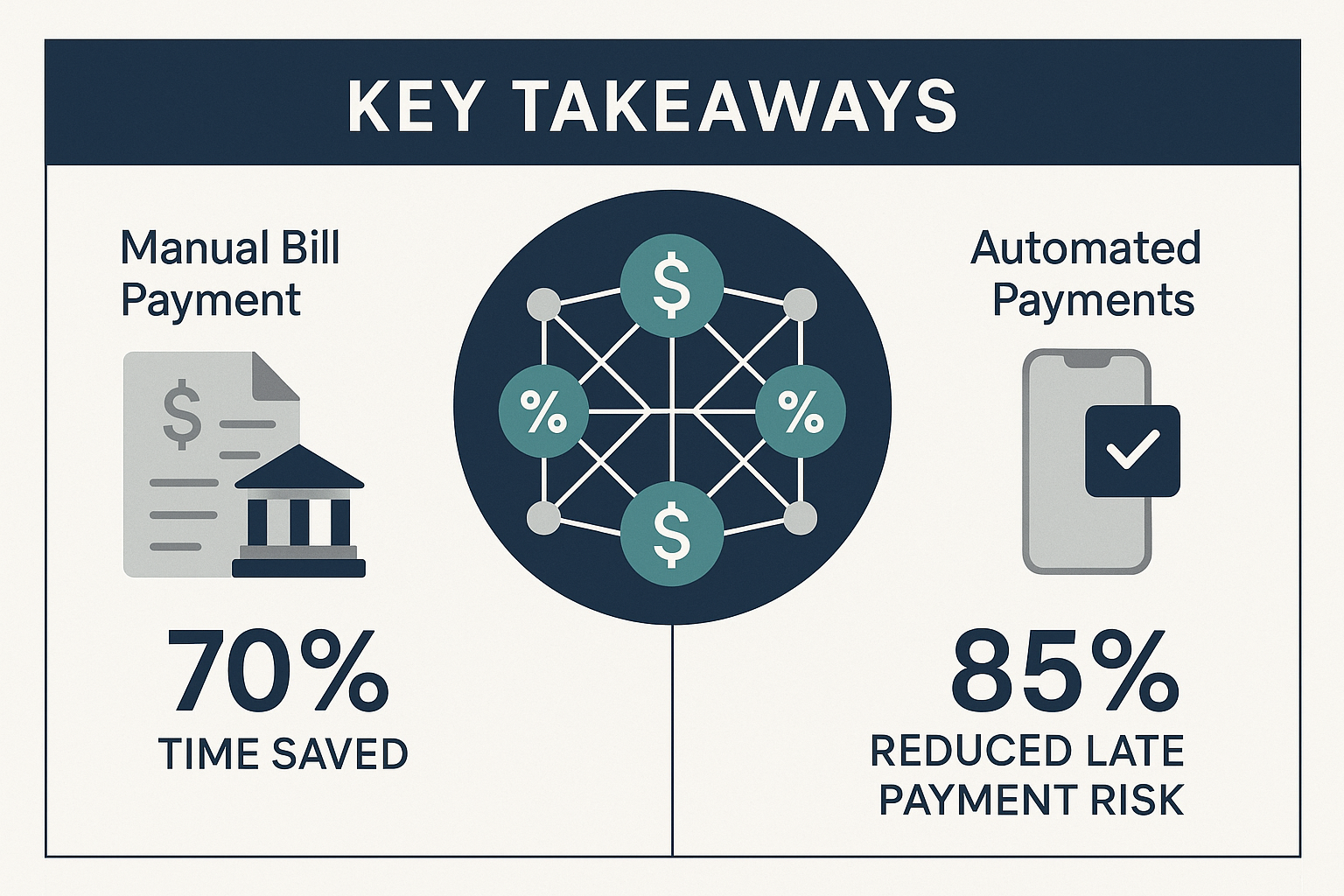
Key Takeaways
- Autopay uses ACH transfers to automatically withdraw funds from your bank account on scheduled dates, eliminating manual payment tasks and virtually guaranteeing on-time payments.
- Payment history represents 35% of your FICO score, making autopay one of the most effective tools for building and protecting credit through consistent on-time payments.
- Three autopay options exist for credit cards: minimum payment (maintains account standing), statement balance (avoids interest), or fixed amount (customized approach)
- Primary risk is overdraft: autopay withdrawals occur regardless of account balance, potentially triggering overdraft fees averaging $35 per incident.
- An optimal strategy combines autopay with monitoring: automated payments protect credit scores while regular account reviews prevent subscription creep and catch fraudulent charges.
What Is Autopay?
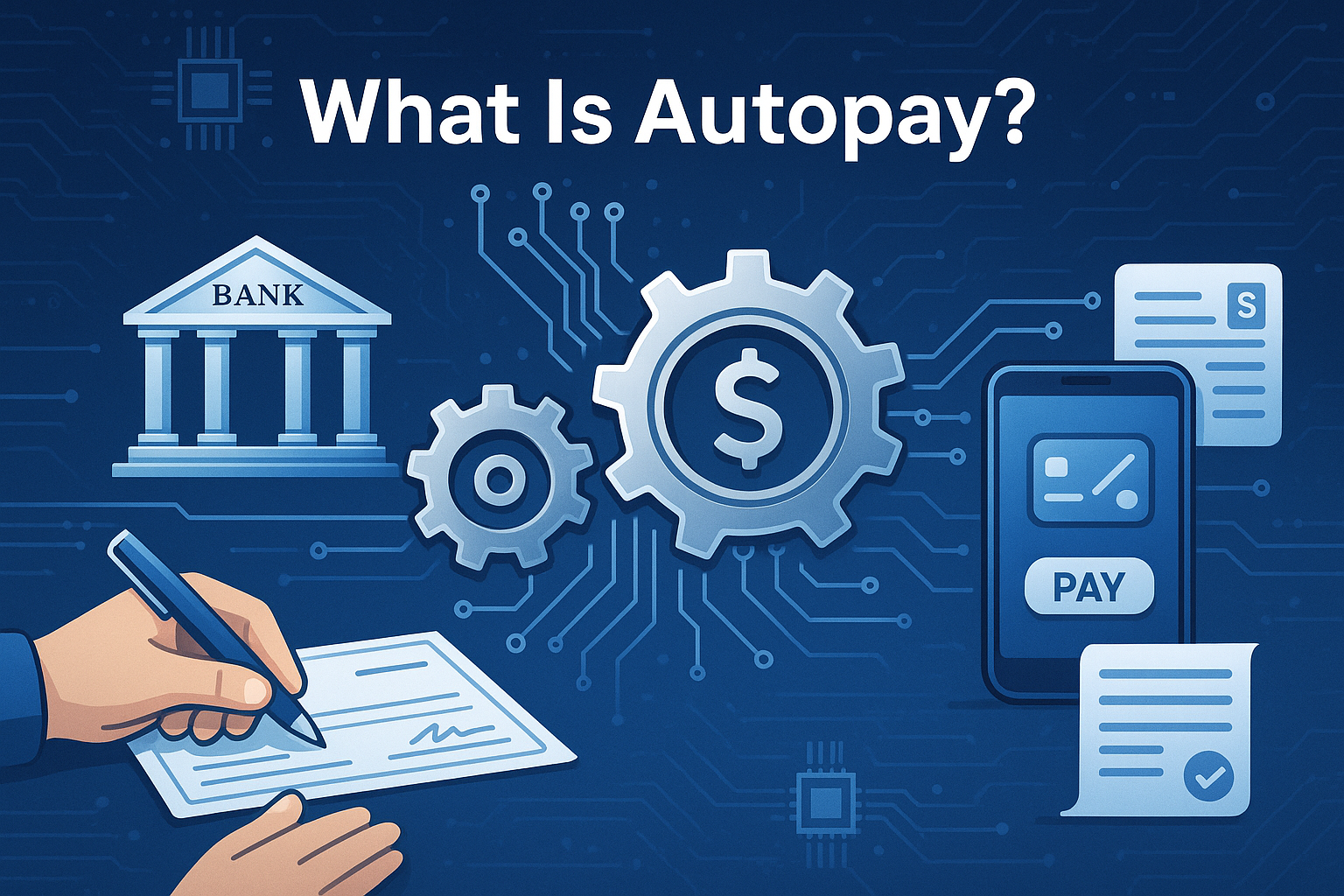
Autopay is an electronic payment arrangement that authorizes a company to automatically withdraw funds from your designated bank account or charge your credit card on a predetermined schedule without requiring manual action each billing cycle.
The mechanism operates through the Automated Clearing House (ACH) network, the same electronic funds transfer system that processes direct deposits and electronic bill payments. When you authorize autopay, you grant the biller permission to initiate withdrawal requests that your bank honors according to the schedule you’ve established.
Common Applications for Autopay
Autopay applies to virtually any recurring financial obligation:
Credit Cards: Pay minimum balance, statement balance, or current balance automatically each month
Mortgage and Rent: Ensure housing payments arrive on time, often qualifying for small interest rate reductions (typically 0.25% APR)
Utilities: Automate electric, gas, water, and internet bills that vary monthly
Loan Payments: Student loans, auto loans, and personal loans—many lenders offer 0.25% rate discounts for autopay enrollment.
Subscriptions: Netflix, Spotify, gym memberships, and software services
Insurance Premiums: Auto, home, life, and health insurance, monthly or quarterly payments
The common thread: any bill with a predictable due date and a consistent or variable amount can be automated.
Example Scenario
Consider a credit card with a $3,200 statement balance and a payment due date of the 15th of each month. With autopay configured to pay the statement balance, the system works as follows:
- Statement closes on the 20th of the previous month, showing $3,200 owed
- Payment due date is the 15th (25-day grace period)
- On the 15th, the credit card issuer initiates an ACH withdrawal request
- Your bank processes the request and transfers $3,200 to the card issuer
- Payment posts within 1-2 business days, showing as on-time
No manual login required. No risk of forgetting. No late fee. No credit score damage.
This automation creates what behavioral economists call a “commitment device”, a mechanism that removes future decision-making from the equation. Once established, the system operates independently of your attention, willpower, or memory.
How Autopay Works
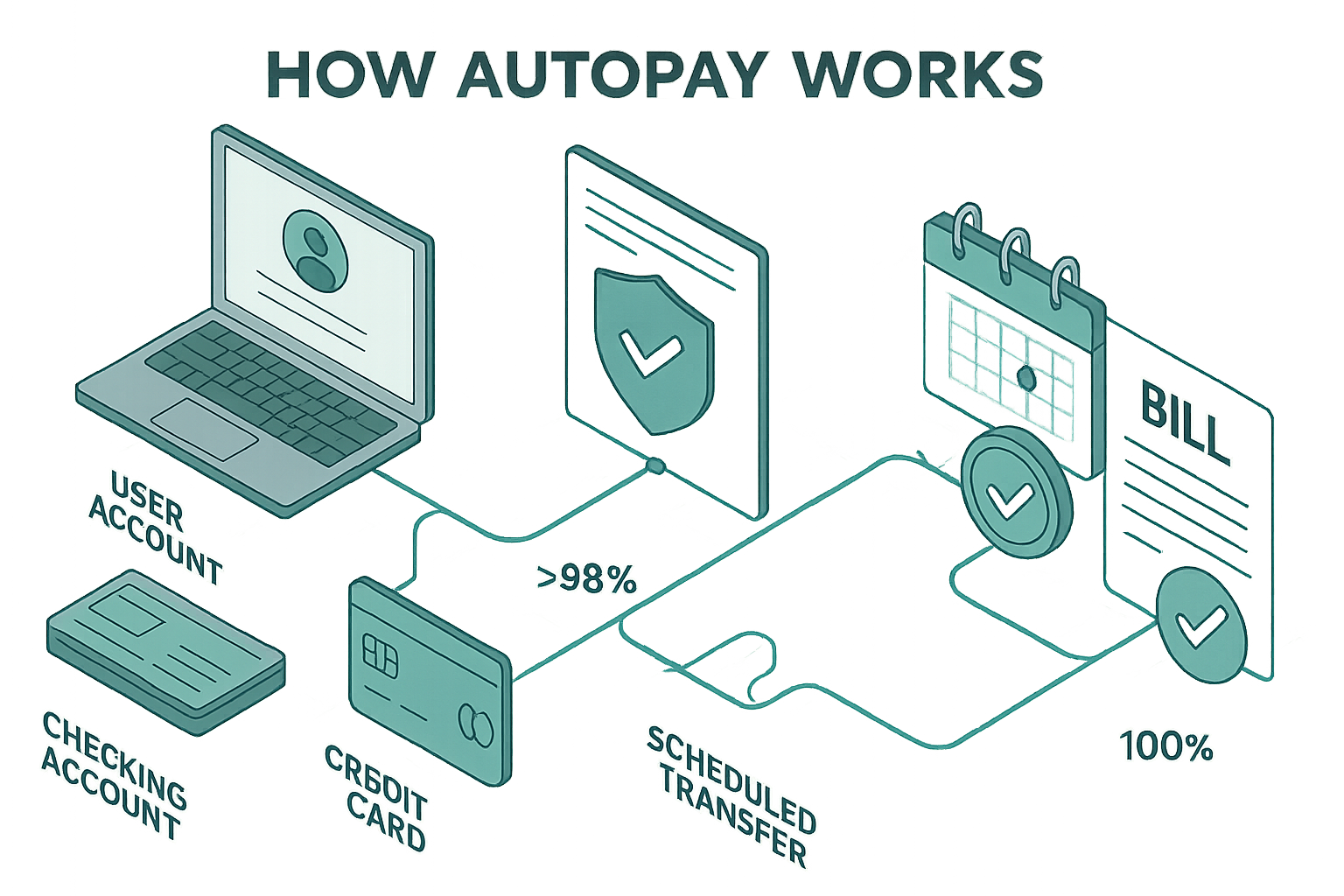
Understanding the technical mechanics of autopay reveals why it’s both powerful and potentially risky. The process involves multiple parties, specific timing rules, and different configuration options that produce different financial outcomes.
The ACH Transfer Process
All autopay transactions move through the ACH network, which processes electronic payments in batches rather than in real-time. Here’s the sequence:
Day 1 (Due Date): The biller (credit card company, utility, lender) submits a withdrawal request to their bank, including your account number, routing number, and payment amount
Day 1-2 (Processing): The biller’s bank forwards the request to your bank through the ACH network
Day 2-3 (Settlement): Your bank verifies the request matches your authorization, confirms sufficient funds (or processes regardless, potentially triggering overdraft), and transfers the money
Day 3-4 (Posting): The payment appears on both your bank statement and the biller’s records as complete
This 2-4 day processing window matters because it creates a lag between when autopay initiates and when funds actually leave your account. Understanding this timing prevents overdraft surprises.
Three Payment Amount Options
Most credit card issuers and many other billers offer three autopay configurations, each with different mathematical implications:
Minimum Payment Autopay
Amount: Typically 1-3% of statement balance or $25-$35 (whichever is greater)
Effect: Keeps account in good standing, avoids late fees, protects credit score
Cost: Accrues interest on remaining balance at APR (often 18-25%)
When to use: Never, unless experiencing temporary cash flow constraints
Math: On a $3,200 balance at 20% APR, paying only the minimum, you’ll pay approximately $4,100 total over 10+ years. See our full guide on Minimum payment
Statement Balance Autopay
Amount: Full balance shown on the most recent statement
Effect: Pays the entire previous month’s charges, avoids all interest charges
Cost: Zero interest if paid by due date (grace period maintained)
When to use: Default choice for responsible credit card management
Math: On a $3,200 statement balance, paying in full costs exactly $3,200 with zero interest
Fixed Amount Autopay
Amount: Custom dollar amount you specify (e.g., $500 monthly)
Effect: Predictable withdrawal, partial balance payment
Cost: Interest charges on the remaining balance
When to use: Rarely optimal—either pay the full statement or manage manually
Bank-Initiated vs Biller-Direct Autopay
Two distinct autopay methods exist, each with different control mechanisms:
Bank-Initiated (Bill Pay)
- You control the payment through your bank’s online platform
- Your bank sends payments to billers on your behalf
- The central dashboard shows all scheduled payments
- You can modify or cancel anytime before the processing date
- Bank assumes responsibility for on-time delivery
Biller-Direct (Autopay)
- Biller withdraws directly from your account
- You authorize through the company’s website or customer service
- Each biller maintains separate autopay settings
- Must contact each biller individually to modify or cancel
- Biller controls timing and amount (within authorized parameters)
For variable bills (utilities, phone), federal regulations require billers to notify you at least 10 days before withdrawing an amount that differs from the authorized range or previous payment.
Billing Cycle Integration
Autopay timing synchronizes with your billing cycle, the period between statement closing dates. Understanding this relationship prevents confusion:
Statement Closing Date: Last day of the billing period (e.g., 20th of each month)
Statement Generation: Issuer calculates total balance, minimum payment, and due date
Grace Period: Time between statement close and payment due date (typically 21-25 days)
Autopay Trigger: Scheduled for the payment due date
Next Cycle Begins: Day after previous statement closes
This cycle repeats monthly. Autopay executes on the due date, paying the balance from the previous statement, not the current balance, which may include new charges made after the statement closed.
Autopay Benefits: The Data-Driven Case
The mathematical advantages of autopay extend beyond mere convenience. When analyzed through a data-driven lens, automation produces measurable financial benefits across multiple dimensions.
Eliminates Late Payment Fees
Late fees represent pure loss, money paid for zero value received. The numbers tell the story:
Average credit card late fee: $30-$41 (depending on card and violation history)
Average utility late fee: $5-$15 plus potential service interruption
Average mortgage late fee: 4-5% of monthly payment (on a $2,000 payment, that’s $80-$100)
Annual cost of one missed payment monthly: $360-$492 in credit card fees alone
Autopay reduces this cost to zero. The system doesn’t forget, doesn’t procrastinate, and doesn’t miss deadlines.
Protects Your Credit Score
Payment history comprises 35% of your FICO score calculation, the single largest factor in credit scoring models. The impact of late payments follows this pattern:
30 days late: 60-110 point score decrease (varies by starting score)
60 days late: 70-135 point decrease
90+ days late: 80-150 point decrease, plus potential collection action
Recovery time: 18-24 months for the score to fully recover from a single 30-day late payment
For context, a credit score drop from 760 to 680 increases mortgage interest rates by approximately 0.5-0.75%, costing thousands over a 30-year loan term.
Autopay maintains a perfect payment history automatically. Over time, this creates a compounding effect as consistent on-time payments strengthen your credit profile, qualifying you for better rates on future borrowing.
Captures Interest Rate Discounts
Many lenders incentivize autopay enrollment through rate reductions:
Student loans: 0.25% APR reduction (typical across federal and private servicers)
Auto loans: 0.25-0.50% APR reduction
Personal loans: 0.25% APR reduction
Mortgages: 0.125-0.25% APR reduction (less common, but available)
The math on these discounts compounds significantly:
On a $30,000 student loan at 6% APR over 10 years, a 0.25% reduction saves approximately $400 in total interest. On a $300,000 mortgage at 6.5% over 30 years, a 0.25% reduction saves roughly $16,000.
These aren’t trivial amounts. They represent real money that remains in your account simply for automating what you should do anyway.
Saves Time and Mental Energy
The opportunity cost of manual bill payment extends beyond the 5-10 minutes per payment. The real cost includes:
Task switching: Breaking focus to remember and execute payments
Cognitive load: Mental energy spent tracking due dates and amounts
Decision fatigue: Repeated small decisions that deplete willpower
Anxiety: Low-level stress about potentially forgetting a payment
Behavioral research suggests the average person manages 8-12 recurring monthly bills. At 10 minutes per payment, that’s 80-120 minutes monthly or 16-24 hours annually spent on a task that can be fully automated.
The value of this time depends on your hourly rate, but even at modest valuations ($20-50/hour), the annual opportunity cost ranges from $320-$1,200.
Comparison: With vs Without Autopay
| Metric | Manual Payment | Autopay (Statement Balance) |
|---|---|---|
| Time per month | 80-120 minutes | 10-15 minutes (monitoring) |
| Late fee risk | High (1-2 annually typical) | Near zero |
| Credit score impact | Variable (late payments damage) | Consistently positive |
| Interest charges | Depends on payment timing | Zero (if statement balance paid) |
| Lender discounts | None | 0.25% APR typical |
| Mental load | High (must remember dates) | Low (set and forget) |
| Annual cost (fees + interest) | $360-$1,200+ | $0-$50 (monitoring tools) |
The data strongly favors automation for most recurring obligations, particularly those with fixed due dates and predictable amounts.
Autopay Risks: What Can Go Wrong
Despite clear benefits, autopay introduces specific risks that require active management. Understanding these risks mathematically allows you to implement protective measures.
Overdraft and Insufficient Funds
The primary autopay risk: withdrawals occur regardless of account balance. When autopay attempts to pull funds from an account with insufficient balance, three outcomes are possible:
Scenario 1: Overdraft Coverage Enrolled
- The bank pays for the transaction
- Charges overdraft fee: $35 average (can be charged multiple times daily)
- Creates a negative balance requiring an immediate deposit
- Potential extended overdraft fees if not resolved quickly
Scenario 2: No Overdraft Coverage
- The bank declines the transaction
- Charges NSF (non-sufficient funds) fee: $35 average
- Payment doesn’t reach the biller
- Biller charges late fee: $30-$41
- Payment marked late on credit report (if 30+ days)
Scenario 3: Overdraft Line of Credit
- Bank advances funds from the linked credit line
- Charges interest on advance (typically 15-18% APR)
- No overdraft fee
- Must repay the advance plus interest
The math: A single overdraft on a $150 utility bill can cascade into $70+ in fees ($35 overdraft + $35 NSF or late fee), turning a $150 obligation into a $220+ expense.
Risk mitigation: Maintain a buffer balance equal to one month’s total autopay obligations plus a 20% cushion.
Subscription Creep and Forgotten Charges
Autopay’s “set and forget” convenience becomes a liability when applied to subscriptions you no longer use. The pattern:
- Sign up for a free trial, requiring a payment method
- Enable autopay to avoid manual cancellation
- Trial converts to paid subscription
- Forget about service while charges continue monthly
Research suggests the average American maintains 3-4 forgotten subscriptions, costing $20-$50 monthly or $240-$600 annually[6].
Common culprits:
- Streaming services ($8-$20/month each)
- Gym memberships ($30-$100/month)
- Software subscriptions ($10-$50/month)
- Magazine or news subscriptions ($5-$20/month)
- App subscriptions ($3-$15/month)
The compound effect: $40/month in forgotten subscriptions costs $480 annually, or $4,800 over 10 years, before accounting for the opportunity cost of investing those funds.
Risk mitigation: Quarterly subscription audit reviewing all recurring charges on bank and credit card statements.
Reduced Fraud Monitoring
Manual payment requires reviewing each statement before submitting payment. This creates a natural fraud detection checkpoint. Autopay removes this checkpoint, potentially allowing fraudulent charges to go unnoticed longer.
The exposure window matters:
Manual payment: Fraud detected within 30 days (before payment due)
Autopay without monitoring: Fraud potentially undetected for 60-90+ days
Financial impact: While federal law limits liability for unauthorized credit card charges to $50 (and most issuers offer zero liability), delayed detection complicates dispute resolution and may allow additional fraudulent charges.
Risk mitigation: Enable real-time transaction alerts and review statements monthly, even with autopay active.
Variable Bill Amount Surprises
Utility bills, phone bills, and other variable charges can fluctuate significantly month-to-month. Autopay withdraws whatever amount the biller specifies, which can strain budgets during high-usage months.
Example: Summer electric bill jumps from $120 to $340 due to air conditioning usage. Autopay withdraws $340 on schedule, potentially creating cash flow issues if not anticipated.
While regulations require a 10-day advance notice for amounts outside authorized ranges, this notice period may not provide sufficient time to adjust cash reserves.
Risk mitigation: Review variable bills before due dates and maintain larger buffer balances during high-usage seasons.
Risk Matrix
| Risk Type | Probability | Impact | Mitigation Strategy |
|---|---|---|---|
| Overdraft | Medium | High ($35-$70+ fees) | Buffer balance, account alerts |
| Subscription creep | High | Medium ($240-$600/year) | Quarterly audit |
| Fraud detection delay | Low | Medium (dispute complexity) | Transaction alerts, monthly review |
| Variable bill surprise | Medium | Low-Medium (cash flow) | Pre-payment review, seasonal planning |
| Expired card | Low | Low (payment failure) | Update payment methods proactively |
The overall risk profile remains manageable with proper monitoring systems. The key insight: autopay shifts risk from “forgetting to pay” to “forgetting to monitor.”
Should You Use Autopay for Credit Cards?
Credit cards represent the highest-value autopay use case due to their direct credit score impact, high late fees, and interest charges. However, the decision requires analyzing your specific financial situation through a data-driven framework.
The Case for Credit Card Autopay
Payment history impact: 35% of the FICO score depends on on-time payments
Late fee avoidance: $30-$41 per missed payment
Interest avoidance: 18-25% APR on unpaid balances (paying statement balance in full eliminates this)
Grace period protection: Autopay maintains the interest-free grace period by ensuring timely payment
Credit utilization timing: Automatic payments reduce credit utilization predictably, though the specific reporting date varies by issuer
The Optimal Configuration
For credit cards, one configuration dominates all others mathematically: autopay set to pay the statement balance in full.
This approach produces three simultaneous benefits:
- Zero interest charges: Paying the full statement balance by the due date maintains the grace period, meaning you pay no interest on purchases
- Perfect payment history: Every payment arrives on time, building the strongest possible credit profile
- Maximum float: You retain use of your money for the entire billing cycle plus grace period (typically 51-55 days from purchase to payment)
Alternative configurations and their flaws:
Minimum payment autopay: Protects credit score but accrues expensive interest (18-25% APR typical). On a $3,200 balance, paying only minimums costs approximately $900 in interest over time.
Fixed amount autopay: Creates complexity; if the fixed amount exceeds the statement balance, you overpay (creating a credit balance); if it’s less than the statement balance, you pay interest on the remainder.
Current balance autopay: Some issuers offer this option, which pays all charges, including those made after the statement closed. This eliminates float benefits and may confuse which charges were paid.
Cash Flow Requirements
Statement balance autopay requires sufficient cash flow to cover your full monthly credit card spending. The framework:
Monthly credit card spending: $X
Required checking account balance on payment due date: $X + 20% buffer
Example: If you charge $2,500 monthly, maintain at least $3,000 in checking on the payment due date.
If your cash flow cannot support full statement balance payments, the solution isn’t autopay for minimum payments; it’s reducing credit card spending to match your cash flow capacity.
Using credit cards for purchases you cannot pay off monthly creates a debt spiral where interest charges compound, making future payments even more difficult. This violates fundamental budgeting principles that prioritize spending within means.
When to Avoid Credit Card Autopay
Three situations warrant caution:
- Irregular income: Freelancers, commission-based workers, or seasonal employees may experience months where cash flow doesn’t support full statement balance payment. In these cases, manual payment allows flexibility to adjust payment amounts based on available funds.
- Disputed charges: If you’re actively disputing a significant charge, autopay may pay the disputed amount before resolution. Manual payment provides control to withhold payment on disputed items.
- Multiple cards with varying due dates: Managing autopay across 4-5 credit cards with different due dates increases complexity and overdraft risk. Consider consolidating to 2-3 cards or staggering due dates to smooth cash flow.
How to Set Up Autopay: Step-by-Step Guide
Implementation varies by institution, but the core process follows similar patterns across banks, credit card issuers, and loan servicers.
Setting Up Autopay Through Your Bank (Bill Pay Method)
This method gives you centralized control over all payments from a single platform.
Step 1: Log in to your bank’s online platform or mobile app
Step 2: Navigate to the “Bill Pay” or “Payments” section
Step 3: Add payee
- Search for the company name in the bank’s payee database
- If not found, manually enter the company name and your account number with that company
- Verify payee information carefully (errors delay payments)
Step 4: Configure payment settings
- Select “Recurring payment” or “Autopay.”
- Choose payment amount (fixed dollar amount or account balance)
- Set payment frequency (monthly, quarterly, etc.)
- Specify payment date (recommend 2-3 days before due date for processing time)
- Set start date and optional end date
Step 5: Review and confirm
- Verify all details match your billing statement
- Confirm payment will arrive before the due date
- Save the confirmation number
Step 6: Monitor the first payment
- Verify payment processes correctly
- Check that the biller receives and posts the payment on time
- Adjust timing if needed
Setting Up Autopay Through Credit Card Issuer (Biller-Direct Method)
This method allows the credit card company to withdraw directly from your bank account.
Step 1: Log in to your credit card account online
Step 2: Navigate to the “Payments” or “Autopay” section
- Often found under “Account Services” or “Payment Settings.”
Step 3: Select autopay enrollment
Step 4: Link bank account
- Enter bank routing number (9 digits, found on check)
- Enter the checking account number
- Verify account ownership (may require micro-deposit verification)
Step 5: Choose payment amount
- Minimum payment: Pays the minimum amount due (not recommended)
- Statement balance: Pays full balance from previous statement (recommended)
- Current balance: Pays all charges, including new ones, after the statement closed
- Fixed amount: Custom dollar amount each month
Step 6: Confirm payment date
- Typically defaults to the payment due date
- Some issuers allow selecting an alternative date (e.g., 2 days before the due date)
Step 7: Review terms and authorize
- Read autopay agreement (grants the company permission to withdraw funds)
- Confirm authorization
- Save confirmation for records
Step 8: Verify setup
- Check for confirmation email
- Review the account to ensure autopay status shows “Active.”
- Monitor the first automatic payment
Setting Up Autopay for Loan Payments
Student loans, auto loans, and mortgages follow similar processes.
Step 1: Access the loan servicer’s website or customer portal
Step 2: Navigate to payment settings
- Look for “Automatic payments,” “Autopay,” or “Recurring payments.”
Step 3: Enroll in the autopay program
- Some servicers require separate enrollment for an interest rate discount
Step 4: Provide bank account information
- Routing number
- Account number
- Account type (checking or savings)
Step 5: Select payment date
- Choose the date funds should be withdrawn
- Ensure date aligns with your cash flow (e.g., shortly after paycheck deposits)
Step 6: Confirm payment amount
- Standard monthly payment amount
- Some servicers allow additional principal payments via autopay
Step 7: Verify interest rate discount
- Confirm 0.25% APR reduction appears in account (if offered)
- It may take 1-2 billing cycles to reflect
Step 8: Complete authorization
- Sign the electronic agreement
- Verify the first payment date
- Save confirmation
Autopay Setup Checklist
Verify the bank account has sufficient funds before the first autopay date
Confirm autopay enrollment via email or account portal
Add autopay date to personal calendar as a reminder to verify sufficient funds
Enable low balance alerts on the checking account
Set up transaction notifications for all autopay withdrawals
Review the first autopay payment to confirm the correct amount and timing
Document all autopay arrangements in a central tracking spreadsheet
Update payment methods when cards expire or bank accounts change
Autopay and Your Credit Score
The relationship between autopay and credit scores operates through specific mathematical mechanisms within credit scoring models. Understanding these mechanics reveals autopay’s true value for credit building.
Payment History: 35% of Your FICO Score
FICO scoring models weight payment history as the single largest factor in credit score calculation. The algorithm evaluates:
On-time payment percentage: Ratio of on-time payments to total payments across all accounts
Recency of late payments: Recent late payments damage scores more than old ones
Severity of delinquency: 30-day late < 60-day late < 90-day late < charge-off
Number of accounts with late payments: Multiple late accounts compound damage
Time since last late payment: Scores recover as late payments age
Autopay directly impacts the first metric, on-time payment percentage, by ensuringa 100% on-time payment rate for all automated accounts.
The Compounding Effect
Credit score improvements compound over time through two mechanisms:
Mechanism 1: Positive Payment History Accumulation
Each month of on-time payments strengthens your payment history. The effect:
- Months 1-6: Establishes initial positive pattern
- Months 7-12: Demonstrates consistency
- Months 13-24: Creates a strong positive history
- Months 25+: Maximizes payment history score component
A consumer with 24 months of perfect payment history scores significantly higher in the payment history category than one with 12 months, all else equal.
Mechanism 2: Late Payment Aging
Late payments remain on credit reports for 7 years, but impact scores less as they age. Autopay prevents new late payments while old ones diminish in importance:
- Year 1: Maximum negative impact
- Year 2: Impact reduces ~30%
- Year 3-4: Impact reduces ~50-60%
- Year 5-7: Minimal impact
By preventing new late payments, autopay allows your score to recover from past mistakes without adding new damage.
What Autopay Doesn’t Affect
Understanding autopay’s limitations prevents false expectations:
Credit utilization (30% of FICO score): Autopay doesn’t reduce the ratio of credit card balances to credit limits. If you carry a $4,500 balance on a $5,000 limit card, your utilization is 90% regardless of autopay status. Lowering utilization requires either paying down balances or increasing limits.
Credit mix (10% of FICO score): Autopay doesn’t diversify your credit types. Having installment loans (auto, student, mortgage) and revolving credit (credit cards) improves this factor, but the payment method doesn’t.
New credit inquiries (10% of FICO score): Autopay doesn’t affect hard inquiries from credit applications.
Credit age (15% of FICO score): Autopay doesn’t age your accounts faster. Average account age improves only with time.
Autopay for Credit Building
For consumers building credit from scratch or recovering from past mistakes, autopay serves as a foundational tool:
Strategy: Open a secured credit card with a small limit ($300-$500), set autopay to pay the statement balance in full, use the card for one small recurring charge (e.g., $10 Netflix subscription), and let the system run for 12-24 months.
Result: Perfect 24-month payment history with zero effort, zero interest charges, and zero late fees. This establishes the payment history component of your credit score optimally.
The math: A consumer starting with a 620 score can reach 700+ within 18-24 months using this strategy, assuming no other negative factors. This 80-point improvement qualifies for significantly better interest rates on future loans, saving thousands in interest over time.
Best Practices for Using Autopay Safely
Maximizing autopay benefits while minimizing risks requires implementing specific protective systems. These practices create redundancy that catches problems before they become costly.
1. Combine Autopay with Account Alerts
Autopay handles execution; alerts handle monitoring. Configure these notifications:
Low balance alerts: Trigger when checking account drops below your autopay buffer amount (e.g., alert when balance < $2,000 if monthly autopay totals $1,500)
Large transaction alerts: Notify for any transaction over a threshold (e.g., $100+)
Payment confirmation alerts: Confirm each autopay withdrawal
Bill due soon alerts: Remind you 3-5 days before autopay executes, allowing time to verify sufficient funds
Failed payment alerts: Immediately notify if autopay fails for any reason
This alert framework creates multiple checkpoints without requiring daily account monitoring.
2. Maintain a Dedicated Autopay Buffer
The mathematical approach: Calculate total monthly autopay obligations, add a 20% buffer, and maintain this amount as your minimum checking account balance.
Example calculation:
- Credit card autopay: $2,500
- Utilities autopay: $200
- Loan payment autopay: $450
- Subscriptions autopay: $85
- Total: $3,235
- 20% buffer: $647
- Minimum balance: $3,882
This buffer absorbs timing variations, unexpected bill increases, and calculation errors without triggering overdrafts.
Advanced strategy: Maintain a buffer in a linked savings account that automatically transfers to checking when the balance drops below a threshold. This keeps buffer funds earning interest while remaining accessible.
3. Conduct Quarterly Subscription Audits
Every 90 days, review all recurring charges across all payment methods:
Process:
- Download 3 months of transactions from all bank accounts and credit cards
- Filter for recurring charges (same merchant, similar amounts, regular intervals)
- Categorize each subscription: Essential, Useful, or Unused
- Cancel all Unused subscriptions immediately
- Evaluate Useful subscriptions for continued value
- Document all remaining subscriptions in a tracking spreadsheet
Tracking spreadsheet columns:
- Service name
- Monthly cost
- Annual cost
- Payment method
- Renewal date
- Cancellation deadline
- Last usage date
- Value assessment
This systematic approach prevents subscription creep and ensures you’re only paying for services you actively use.
4. Review Statements Monthly (Even with Autopay)
Autopay doesn’t eliminate the need for statement review—it changes the purpose from “decide whether to pay” to “verify charges are legitimate and expected.”
Monthly review checklist:
- Verify all charges are legitimate (no fraud)
- Confirm variable bill amounts are reasonable (no billing errors)
- Check for unexpected subscription renewals
- Verify autopay executed correctly
- Confirm payment posted to the account
- Review interest charges (should be $0 if paying statement balance)
- Check for any fees (late, annual, foreign transaction)
Time investment: 10-15 minutes monthly. Value: Catches fraud, billing errors, and subscription renewals before they compound.
5. Stagger Autopay Dates for Cash Flow Management
If managing multiple autopay obligations, strategic date selection smooths cash flow:
Strategy: Align autopay dates with income deposits
Example for biweekly pay schedule:
- Paycheck 1 (1st and 15th): Schedule rent/mortgage, largest credit card, utilities
- Paycheck 2 (15th and 30th): Schedule smaller credit cards, subscriptions, and loan payments
This ensures each paycheck covers specific obligations, preventing scenarios where all autopay withdrawals cluster on a single date.
6. Update Payment Methods Proactively
Credit cards expire. Bank accounts close. Debit cards get replaced. Autopay continues attempting to charge invalid payment methods, triggering failed payment fees.
Proactive update schedule:
- Review all autopay arrangements 60 days before card expiration
- Update payment methods immediately upon receiving new cards
- Verify updates processed successfully before old cards expire
- Maintain a list of all autopay arrangements to ensure none are missed
7. Use Credit Cards for Autopay When Possible
For subscriptions and recurring bills, using credit cards for autopay (rather than direct bank account debits) provides additional protection:
Fraud protection: Credit card fraud liability is $0 for most issuers; bank account fraud recovery can be more complex
Dispute rights: Credit card disputes are easier to initiate and resolve
Float benefit: Charges post to credit card immediately but aren’t paid until statement due date, preserving cash in your account longer
Rewards: Earn cashback or points on recurring expenses
Overdraft prevention: Credit card charges can’t overdraft your bank account
Caveat: Only use this strategy if you’re already paying credit card statement balances in full via autopay. Adding subscriptions to credit cards you carry balances on increases interest charges.
Is Autopay Safe? Security and Protection Considerations
Security concerns about autopay center on two questions: Is the ACH system secure? What happens if something goes wrong?
ACH Security Framework
The Automated Clearing House network operates under strict security protocols established by NACHA (National Automated Clearing House Association) and enforced by federal banking regulations.
Security measures include:
Encryption: All ACH transactions are encrypted during transmission
Authentication: Banks verify account ownership before processing withdrawals
Authorization requirements: Billers must obtain explicit authorization before initiating ACH debits
Transaction limits: Banks monitor for unusual patterns and may block suspicious ACH requests
Fraud monitoring: Automated systems flag anomalous transactions for review
The result: ACH fraud rates remain extremely low, approximately 0.03% of transactions according to NACHA data, compared to 0.06% for credit card transactions[9].
Your Legal Protections
Federal law provides specific protections for automated payments:
Electronic Fund Transfer Act (EFTA): Establishes consumer rights for electronic payments, including:
- Right to stop payment on preauthorized transfers
- Right to dispute unauthorized transfers within 60 days of the statement
- Limited liability for unauthorized transfers ($50 if reported within 2 days, $500 if reported within 60 days, unlimited if not reported within 60 days)
Regulation E: Implements EFTA protections, requiring banks to investigate disputed transfers and provisionally credit your account during investigation
Credit card protections: When using credit cards for autopay, you receive additional protections under the Fair Credit Billing Act, including $0 liability for unauthorized charges and the right to dispute billing errors
How to Protect Your Autopay Arrangements
Use strong, unique passwords: Each financial account should have a unique password (use a password manager to track them)
Enable two-factor authentication: Adds a security layer requiring phone or email verification for account access
Monitor accounts regularly: Weekly quick checks catch unauthorized autopay enrollments early
Review authorized merchants: Most banks provide a list of companies authorized to debit your account, review quarterly, and remove any you don’t recognize
Use a dedicated checking account: Some consumers maintain a separate checking account exclusively for autopay, limiting exposure if account information is compromised
Enable transaction alerts: Real-time notifications for all debits catch unauthorized autopay immediately
What Happens If Autopay Fails?
Autopay can fail for several reasons: insufficient funds, expired payment method, bank system errors, or biller processing problems. Understanding the consequences helps you respond appropriately:
Insufficient funds failure:
- The bank may pay and charge an overdraft fee ($35 average)
- Or the bank may decline and charge an NSF fee ($35 average)
- Biller doesn’t receive payment
- Biller may charge a late fee ($30-$41 for credit cards)
- Payment is marked late if not resolved before 30 days past due
Expired card failure:
- Autopay attempt fails
- Biller typically sends a notification of failed payment
- No payment posted to the account
- Late fee applies if not corrected before the due date
- No credit score impact if resolved within 30 days
Bank system error:
- Rare but possible
- A bank typically reverses any fees charged
- Provides documentation of system error for the biller
- No credit score impact if the error is documented
Response protocol:
- Identify the failure cause immediately
- Correct underlying issue (add funds, update payment method)
- Contact the biller to explain the situation and request a late fee waiver
- Make a manual payment if autopay cannot be corrected before the due date
- Verify autopay resumes correctly for the next cycle
Most billers waive late fees for first-time autopay failures, especially if you have a history of on-time payments.
💳 Autopay Decision Calculator
Calculate savings and determine if autopay is right for you
📊 Annual Cost Comparison
💰 Buffer Analysis
📋 Recommendation
Conclusion
Autopay represents a powerful tool for financial automation that, when implemented correctly, produces measurable benefits: eliminated late fees, protected credit scores, captured interest rate discounts, and recovered time for higher-value activities.
The math consistently favors automation for recurring obligations with predictable due dates, particularly credit cards, where the combination of high late fees, credit score impact, and interest charges creates significant downside risk from manual payment errors.
However, autopay isn’t a “set and forget forever” system. The optimal approach combines automation with monitoring, autopay handles execution while you maintain oversight through account alerts, monthly statement reviews, and quarterly subscription audits.
Your action plan:
- This week: Set up autopay for your credit cards configured to pay the statement balance in full, and enable low-balance alerts on your checking account
- This month: Calculate your total monthly autopay obligations, establish a 20% buffer, and review your budget to ensure cash flow supports full statement balance payments
- This quarter: Conduct a comprehensive subscription audit, cancel unused services, and document all remaining autopay arrangements in a tracking spreadsheet
- Ongoing: Review statements monthly (10-15 minutes), verify autopay executions, and adjust as your financial situation evolves
The evidence is clear: systematic automation of routine financial obligations reduces errors, protects credit scores, and frees mental energy for higher-level financial decisions, such as investment strategy, tax optimization, and wealth building.
Implement autopay strategically, monitor it consistently, and let mathematics work in your favor.
Author Bio
Max Fonji is a data-driven financial educator and the voice behind The Rich Guy Math, where complex financial concepts are explained through clear mathematics and evidence-based analysis. With expertise in credit optimization, investment fundamentals, and systematic wealth building, Max helps readers understand the quantitative relationships that drive financial outcomes. His approach combines analytical rigor with practical application, translating academic finance into actionable strategies for everyday investors.
Educational Disclaimer
This article provides educational information about autopay systems, credit management, and financial automation. It does not constitute financial, legal, or tax advice. Financial products, interest rates, fees, and regulations vary by institution and are subject to change over time. Credit score impacts depend on individual credit profiles and multiple factors beyond payment history alone.
Before implementing autopay or making financial decisions, consider your specific circumstances, review current terms with your financial institutions, and consult qualified financial advisors when appropriate. The author and The Rich Guy Math assume no liability for financial decisions made based on this educational content.
All data, statistics, and examples are provided for illustrative purposes. Actual results will vary based on individual circumstances, market conditions, and specific product terms.
References
[1] Consumer Financial Protection Bureau. (2024). “Credit Card Late Fees Report.” CFPB.gov.
[2] Federal Reserve Board. (2024). “Consumer Credit Outstanding.” FederalReserve.gov.
[3] Federal Trade Commission. (2024). “Electronic Fund Transfers Regulation E.” FTC.gov.
[4] Consumer Financial Protection Bureau. (2024). “Credit Card Fee Analysis.” CFPB.gov.
[5] FICO. (2024). “Understanding FICO Scores.” MyFICO.com.
[6] C+R Research. (2023). “Subscription Service Study: Consumer Spending Patterns.” C+RResearch.com.
[7] Experian. (2024). “What Affects Your Credit Scores?” Experian.com.
[8] NACHA. (2024). “ACH Network Security Framework.” NACHA.org.
[9] NACHA. (2024). “ACH Network Risk and Enforcement Report.” NACHA.org.
Autopay Frequently Asked Questions
Can autopay overdraft my account?
Yes. Autopay withdrawals process regardless of account balance. If insufficient funds exist when autopay executes, your bank will either pay the transaction and charge an overdraft fee or decline the transaction and charge an NSF fee. In the decline scenario, the biller won’t receive payment, potentially triggering late fees.
Prevention: Maintain a buffer balance equal to your total monthly autopay obligations plus 20%, and enable low-balance alerts that trigger before autopay dates.
Should I autopay the minimum or full balance on credit cards?
Always autopay the full statement balance if cash flow allows. Paying only the minimum protects your credit score, but interest will accrue at your card’s APR. On a $3,200 balance, paying only minimums costs approximately $900 in interest over time.
Paying the statement balance in full eliminates all interest charges while maintaining perfect payment history.
The only scenario where minimum payment autopay makes sense is temporary cash flow constraints. This should be a short-term exception, not a long-term strategy.
What happens if my credit card expires while autopay is active?
When your card expires, autopay attempts using the old card number will fail. Many issuers use services that automatically update recurring payments, but this isn’t guaranteed.
Best practice: 60 days before card expiration, review all autopay accounts, update card information proactively, and verify the updates processed successfully.
Does autopay work on weekends and holidays?
Autopay initiates on the scheduled date regardless of weekends or holidays, but fund transfers only process on business days. If your autopay date falls on a weekend or holiday, the transfer typically processes on the next business day.
Some billers initiate autopay 1-2 business days early to account for processing time. For credit cards, if autopay initiates by the due date, the payment is considered on-time even if funds transfer later.
Can autopay hurt my credit score?
Autopay itself cannot hurt your credit score. It improves the payment history component by ensuring on-time payments. However, problems arise when:
- Autopay overdrafts the account and leads to account closure
- Autopay fails and late payments go unnoticed
- Only minimum payments are made while balances increase
When configured correctly (full statement balance, buffer funds, and monitoring), autopay strengthens credit scores.
How do I cancel autopay?
Bank-initiated autopay (Bill Pay):
- Log in to your bank
- Open Bill Pay
- Select the scheduled payment
- Click “Cancel”
- Confirm cancellation
Biller-direct autopay:
- Log in to the biller’s website
- Open Payment Settings or Autopay
- Select “Cancel autopay”
- Confirm and save the confirmation
Cancel at least 3 business days before the next scheduled payment. If canceling within 3 days, verify with the company that cancellation will take effect.
Does autopay affect when my payment posts to my credit report?
Credit card issuers report to credit bureaus on the statement closing date, not the payment due date. Autopay ensures on-time payment but does not change reporting timing.
Example:
Statement closes: March 20 (balance reported)
Payment due: April 15 (autopay executes)
Next statement closes: April 20 (new balance reported)
To reduce balances reported to bureaus, make payments before the statement closing date.